Free online PC builder

Pick the parts. Understand them.

Choose parts, check compatibility, and track your budget. Follow the guided steps or use the advanced PC part picker to build in any order.

BUILDER GUIDEChoose a CPU for your PC build
RECOMMENDED SPEND$173 - $259
CoresPhysical processing units. More cores improve multitasking and heavy tasks like video editing or streaming.
Base ClockDefault speed. Higher clock speeds generally result in faster performance in games and daily tasks.
ThreadsLogical processors. Higher thread counts help with complex workloads and background apps while gaming.
L3 CacheUltra-fast data storage on the CPU. Larger L3 cache can significantly boost gaming frame rates.
AMD Ryzen 5 9600X 3.9 GHz 6-Core Processor
$173.99
CORES
6
BASE CLOCK
3.9 GHz
THREADS
12
L3 CACHE
32 MB
AMD Ryzen 7 7800X3D 4.2 GHz 8-Core Processor
AMD Ryzen 7 7800X3D 4.2 GHz 8-Core ProcessorOutside recommended budget
$339.00
CORES
8
BASE CLOCK
4.2 GHz
THREADS
16
L3 CACHE
96 MB
Intel Core Ultra 7 270K Plus
Intel Core Ultra 7 270K PlusOutside recommended budget
$269.00
CORES
24
BASE CLOCK
3.7 GHz
THREADS
24
L3 CACHE
36 MB
§ 01 Two ways to buildChoose by experience

Choose how to build your PC

Both builders work on the same build, so you can start guided and finish in the advanced builder, or the other way around.

pclaunchpad.com/builder/case
The guided builder's case step in dark mode: seven of eight parts chosen in the sidebar with $111.37 left of a $1,700 budget, the case guide with a recommended spend of $128 to $192, budget filters, and the GPU clearance spec on a case card hovered to show its definitionThe same case step in light mode
Tool 01 · Guided · for first builds

The guided builder teaches while you pick.

Set your purpose and budget. Then work through one component at a time with explanations of the specs that matter for your build.

  1. Your build so far. Seven of eight parts chosen, with the running total and what's left of your budget.
  2. A guide for every step. The specs that matter for this part, in plain English, and a recommended spend.
  3. Hover any spec. Its definition appears right where you're choosing.
  4. Budget filters. Parts sorted under, on and over your budget, with incompatible ones kept apart.
FOR
Beginners +
STEPS
9 total
TIME
~15 min
Start the guided builder →
Tool 02 · Advanced · for enthusiasts

One list, every check, no steps.

Choose parts in any order, track the total as you go, and review compatibility warnings before you buy.
  1. The total, up top. Build status and the running price stay at the head of the list.
  2. Every slot at a glance. One bar per part, with slot and cart counts beside it.
  3. Compatibility, summarized. A green light when every part fits. A problem shows here first.
  4. Specs, Buy and Change in every row. Socket, cores, cache and the like, next to the part you picked.
  5. Where the money goes. Each part's share of the total, so the big spends stand out.
Open the advanced builder →
pclaunchpad.com/builder/advanced
The advanced builder in dark mode with all eight slots filled: a $1,668.62 total, 8 of 8 slots, No compatibility issues, each part listed with its key specs and Buy and Change buttons, and a breakdown of where the total goesThe same advanced builder in light mode
§ 02 The toolbenchOne build · four answers

Check your parts before you buy

One real build, taken through all four free tools. Each tool answers one question, plainly.

01 · Airflow planner

How should the air move?

6 in, 2 out.

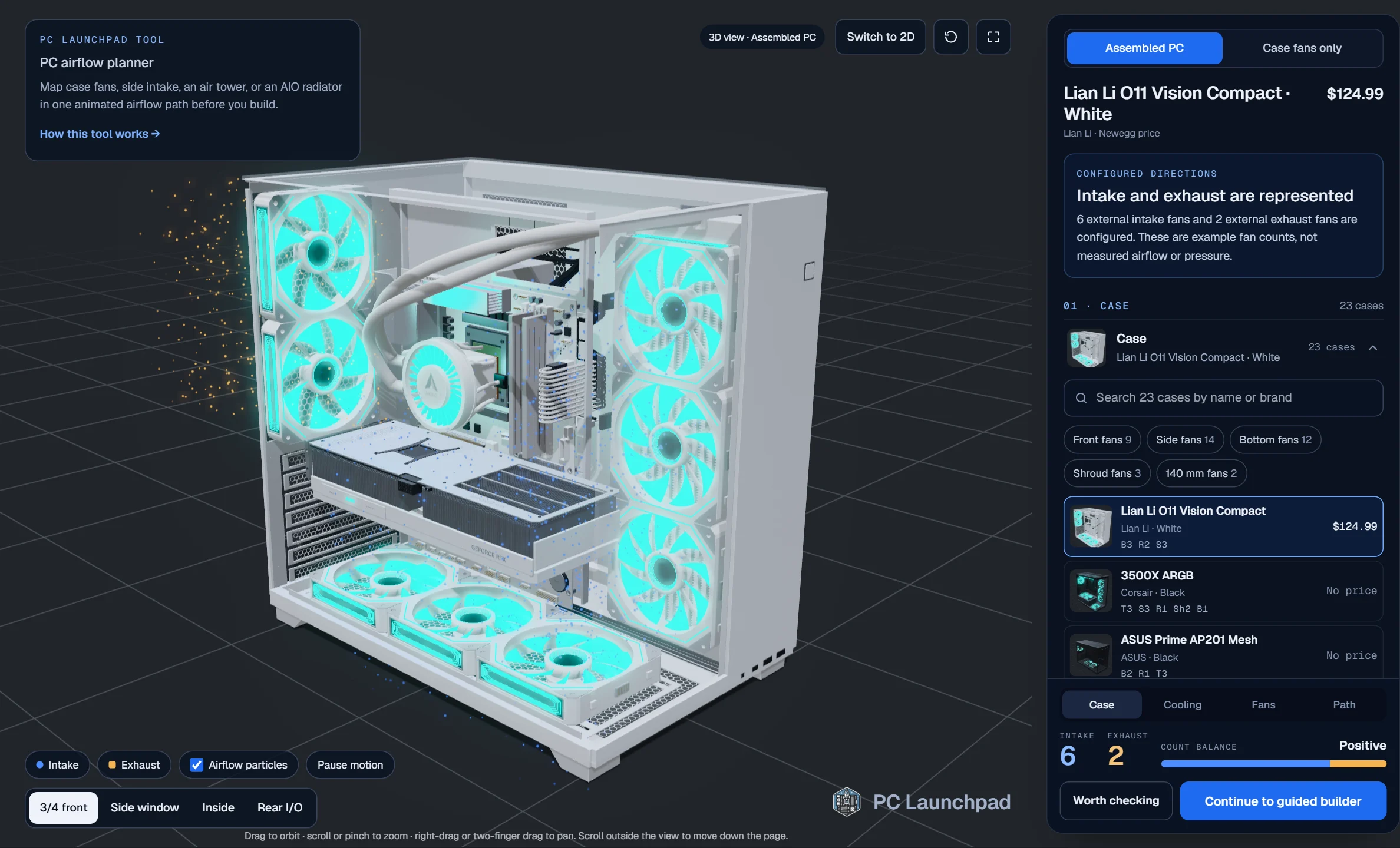
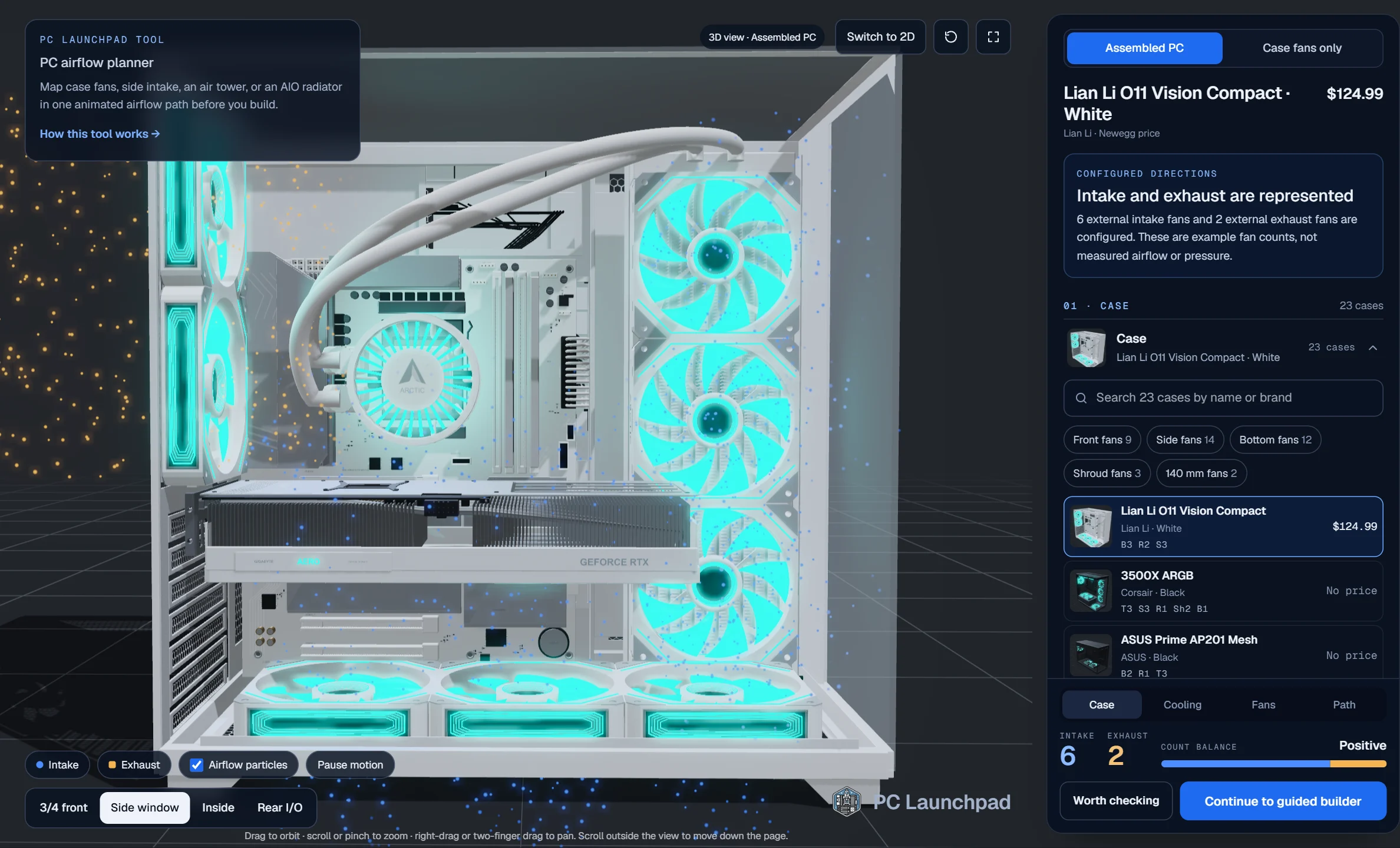
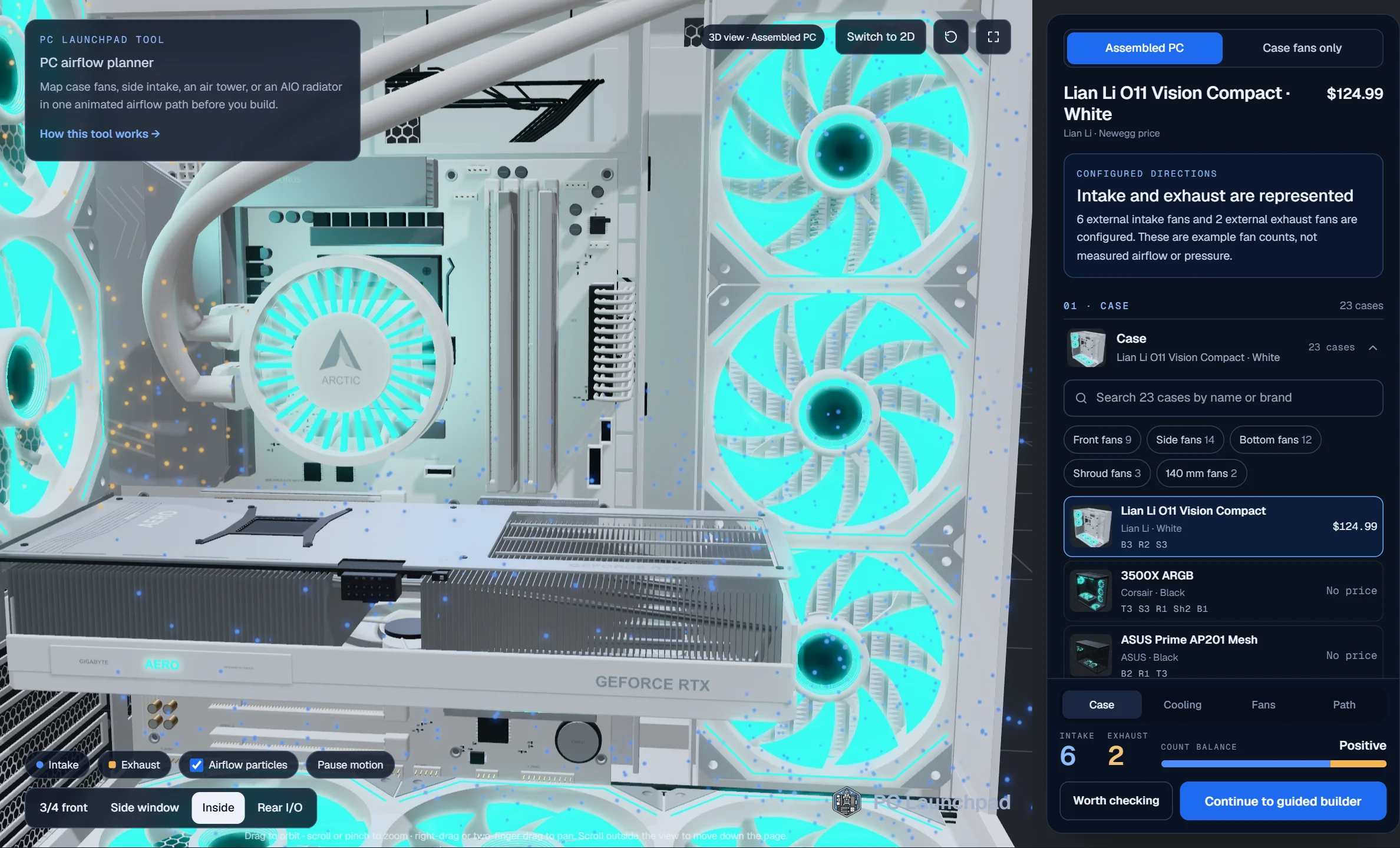
The planner's example PC in a Lian Li O11 Vision Compact: three bottom fans and a 360 mm side radiator pull air in, two rear fans push it out. Change a fan zone or swap the AIO for an air tower and the path redraws.

The airflow planner in 3D: a white Lian Li O11 Vision Compact with intake and exhaust particles, 6 intake and 2 exhaust fans, positive count balanceThe airflow planner in 3D: a white Lian Li O11 Vision Compact with intake and exhaust particles, 6 intake and 2 exhaust fans, positive count balance
pclaunchpad.com/tools/airflow-planner

The airflow planner uses its own example parts in 23 real cases, so it reads none of this build.

Open the airflow planner
02 · Upgrade checker

What if I swap the CPU?

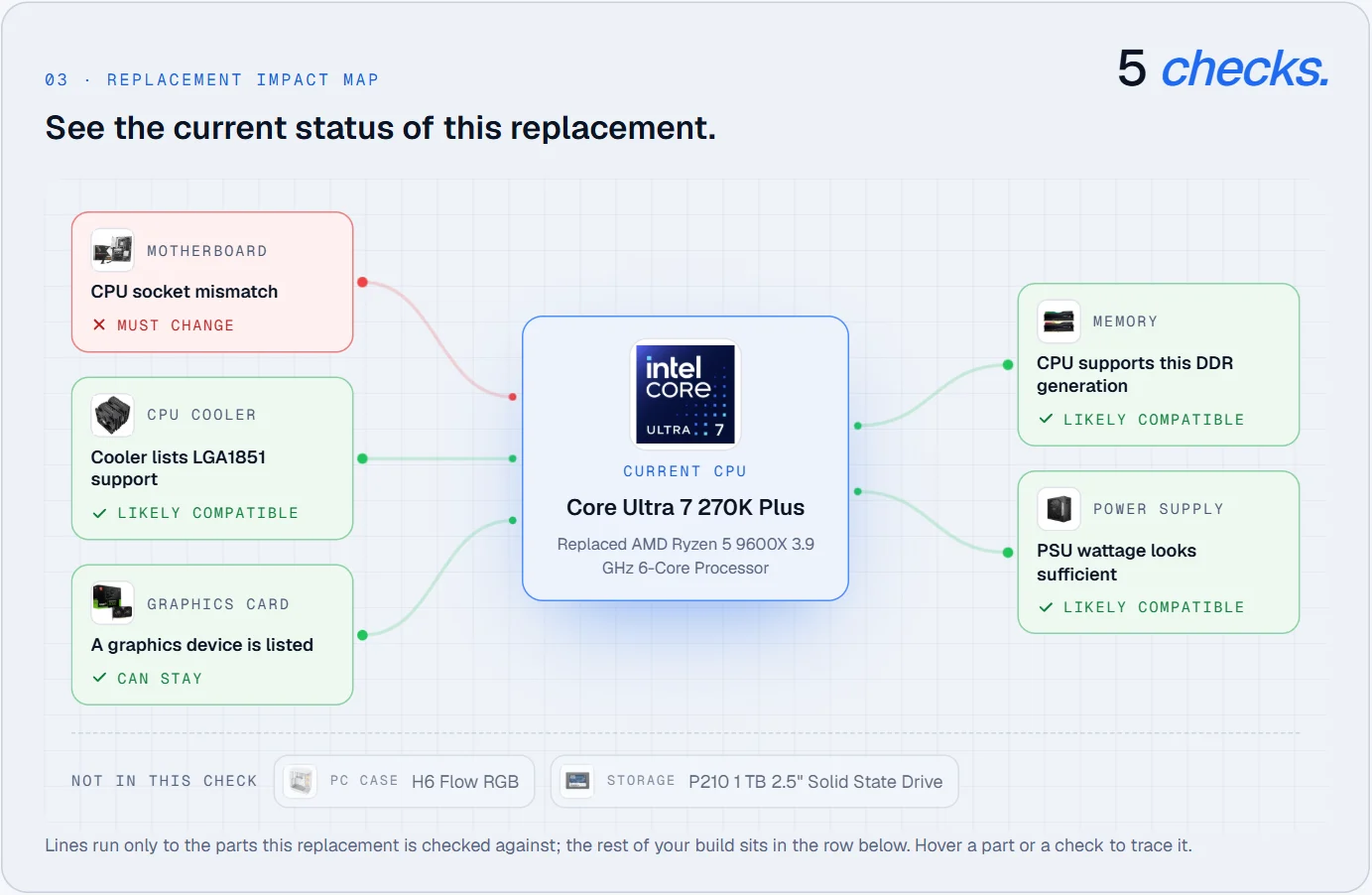
The motherboard has to change.

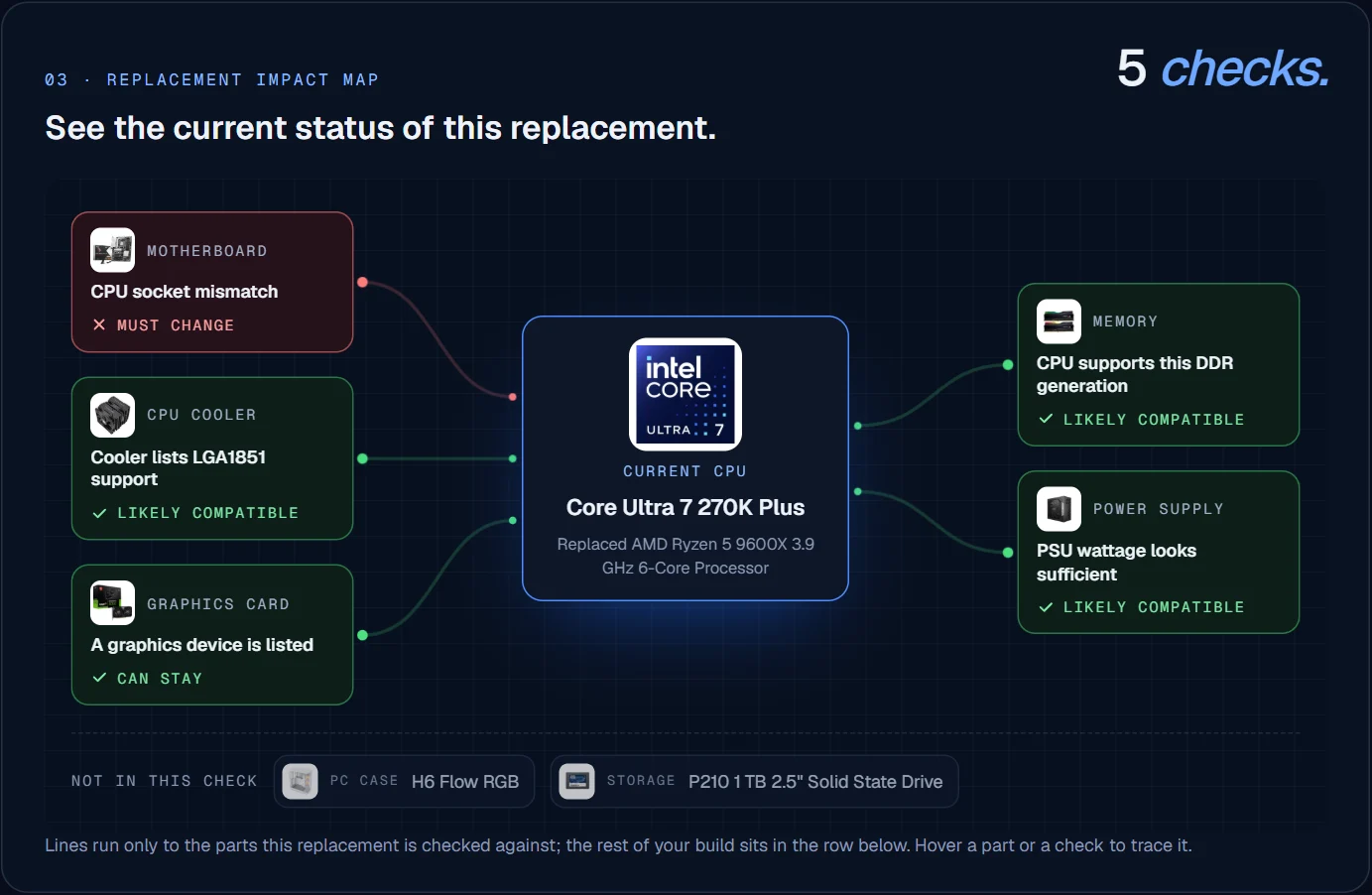
A Core Ultra 7 270K Plus is LGA1851 and the board is AM5. The memory, the Peerless Assassin and the 750 W supply look compatible, and the RTX 4060 can stay.

The replacement impact map for a Core Ultra 7 270K Plus: motherboard must change for a CPU socket mismatch; CPU cooler, memory and power supply likely compatible; graphics card can stayThe replacement impact map for a Core Ultra 7 270K Plus: motherboard must change for a CPU socket mismatch; CPU cooler, memory and power supply likely compatible; graphics card can stay
pclaunchpad.com/tools/upgrade-checker

The upgrade checker reads the whole build.

Open the upgrade checker
03 · CPU & GPU balance

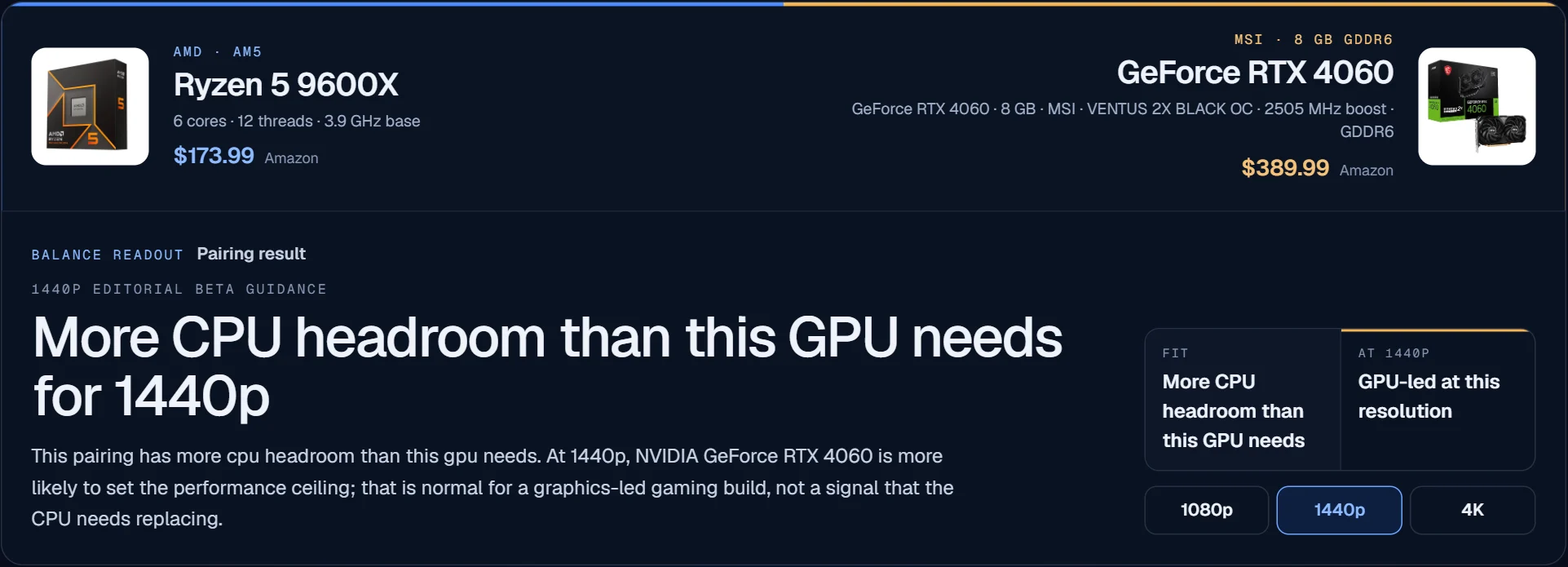
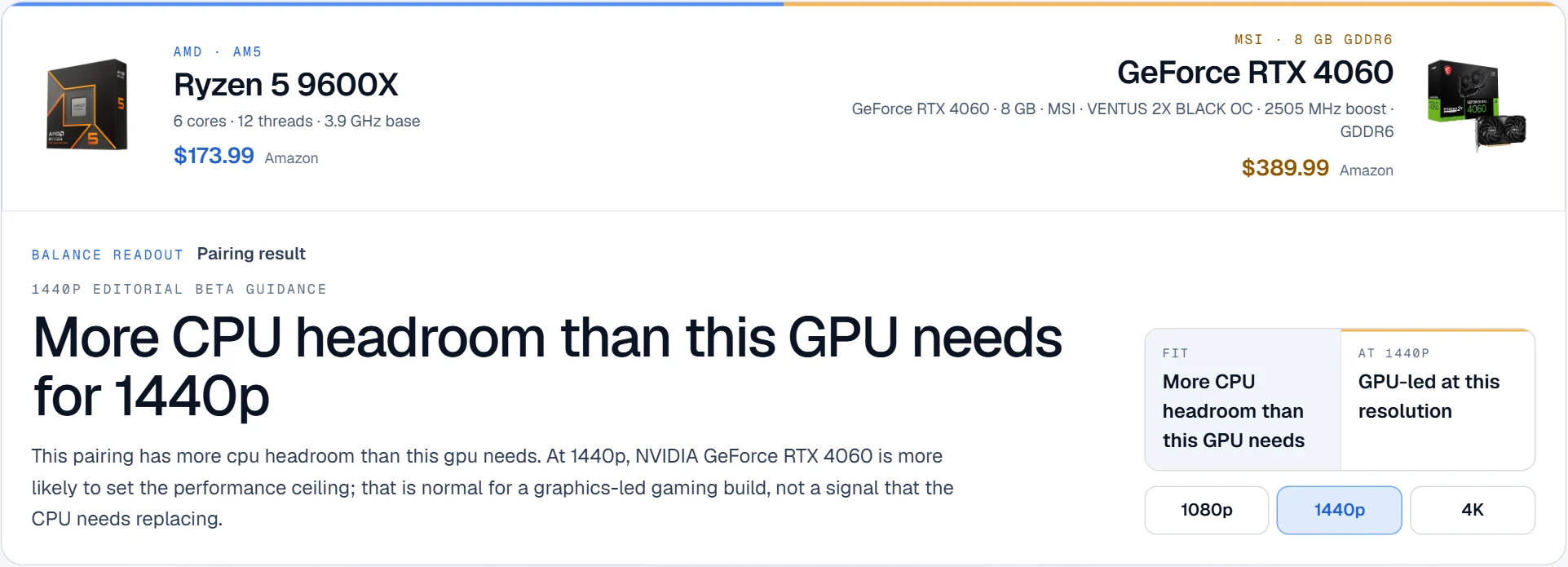
Is the pair balanced at 1440p?

GPU-led at 1440p.

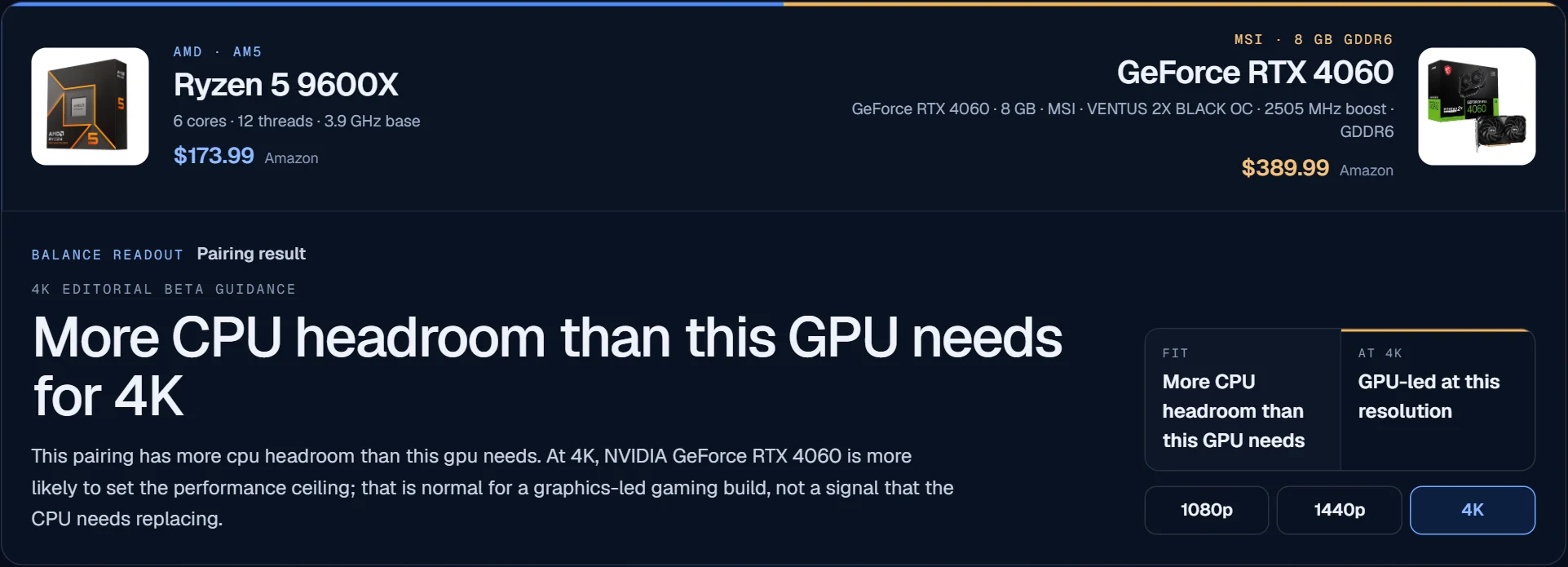
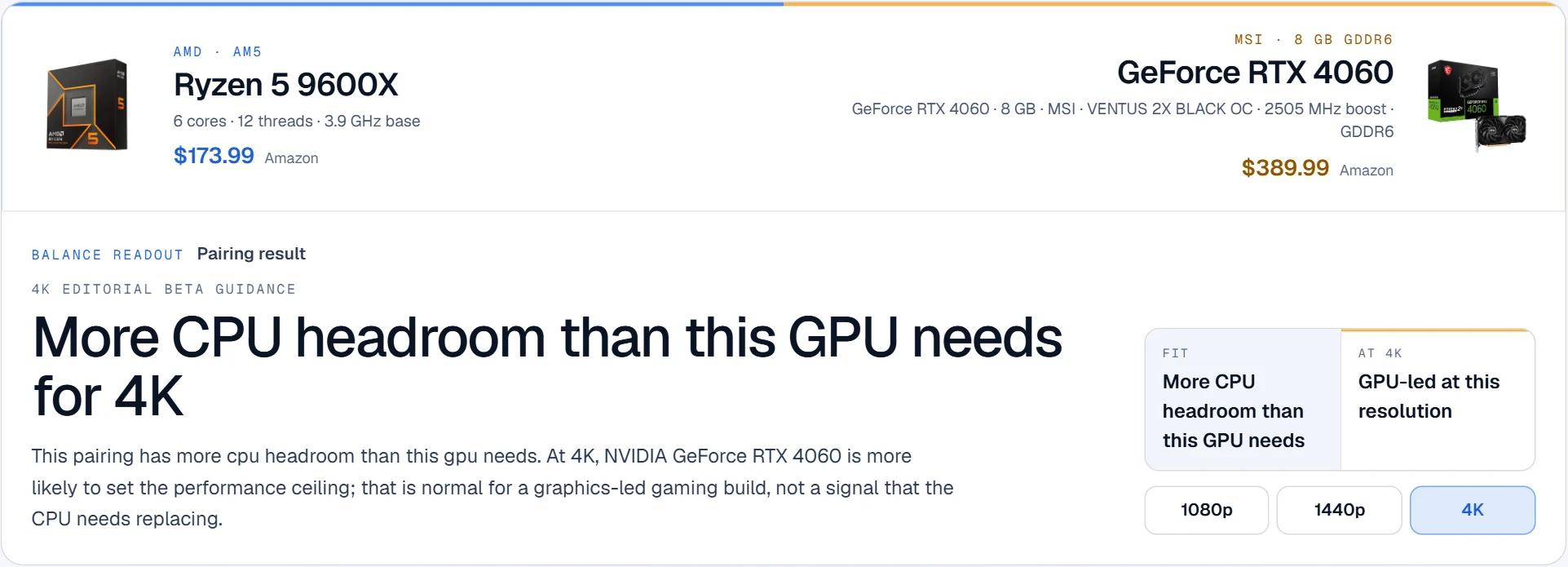
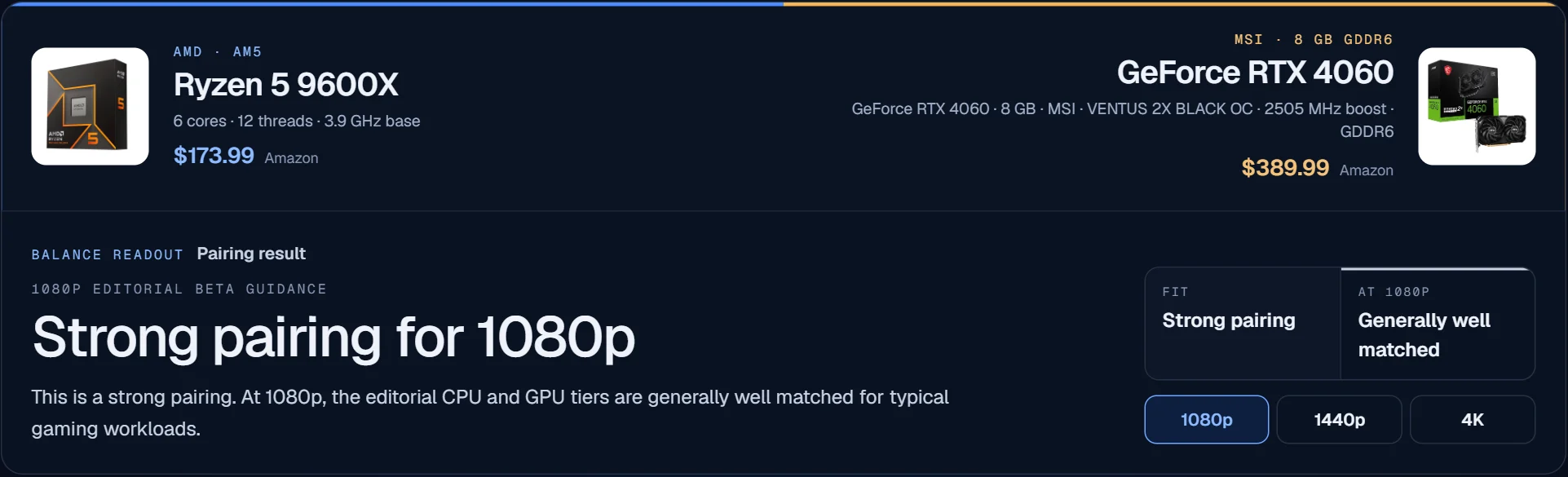
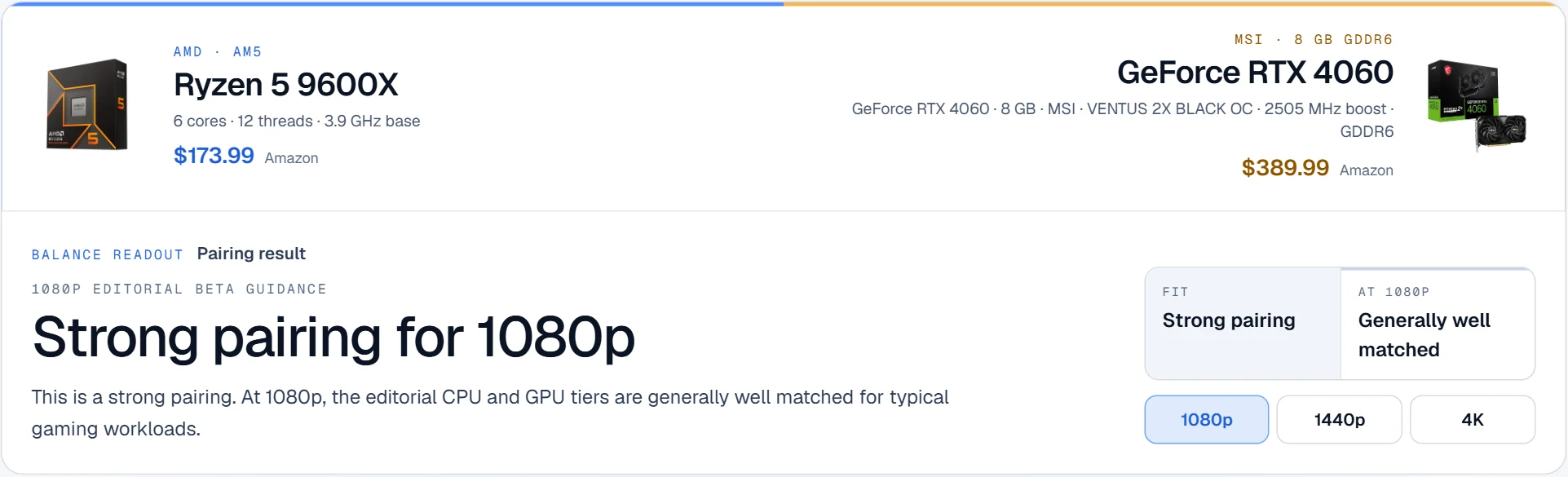
More CPU headroom than the RTX 4060 needs at 1440p and 4K, and a strong pairing at 1080p. That is normal for a graphics-led gaming build, and no reason to replace the CPU.

The balance readout for a Ryzen 5 9600X and a GeForce RTX 4060: More CPU headroom than this GPU needs for 1440pThe balance readout for a Ryzen 5 9600X and a GeForce RTX 4060: More CPU headroom than this GPU needs for 1440p
pclaunchpad.com/tools/cpu-gpu-balance

The balance calculator reads the CPU and the graphics card.

Open the balance calculator
04 · GPU case fit

Will the card fit in the case?

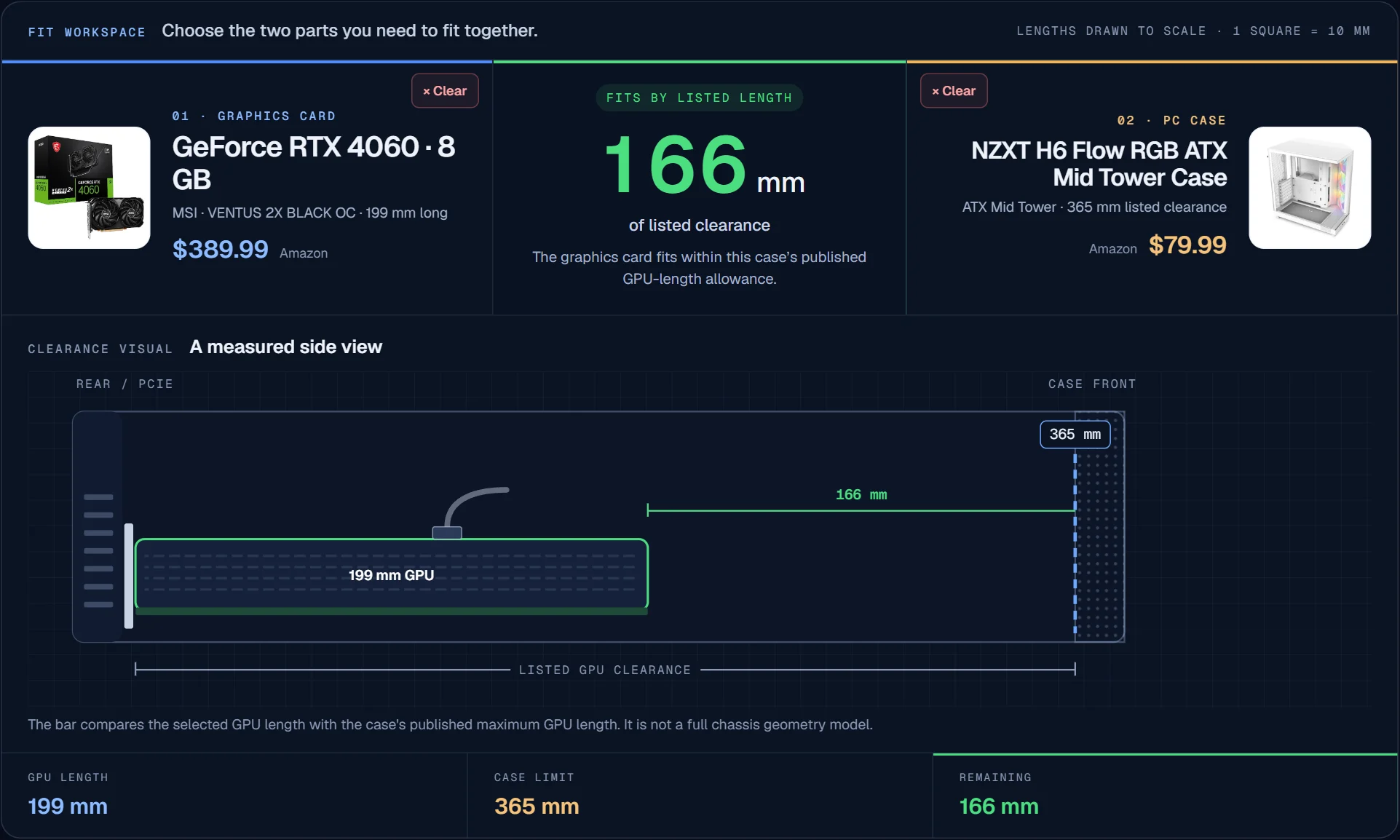
166 mm to spare.

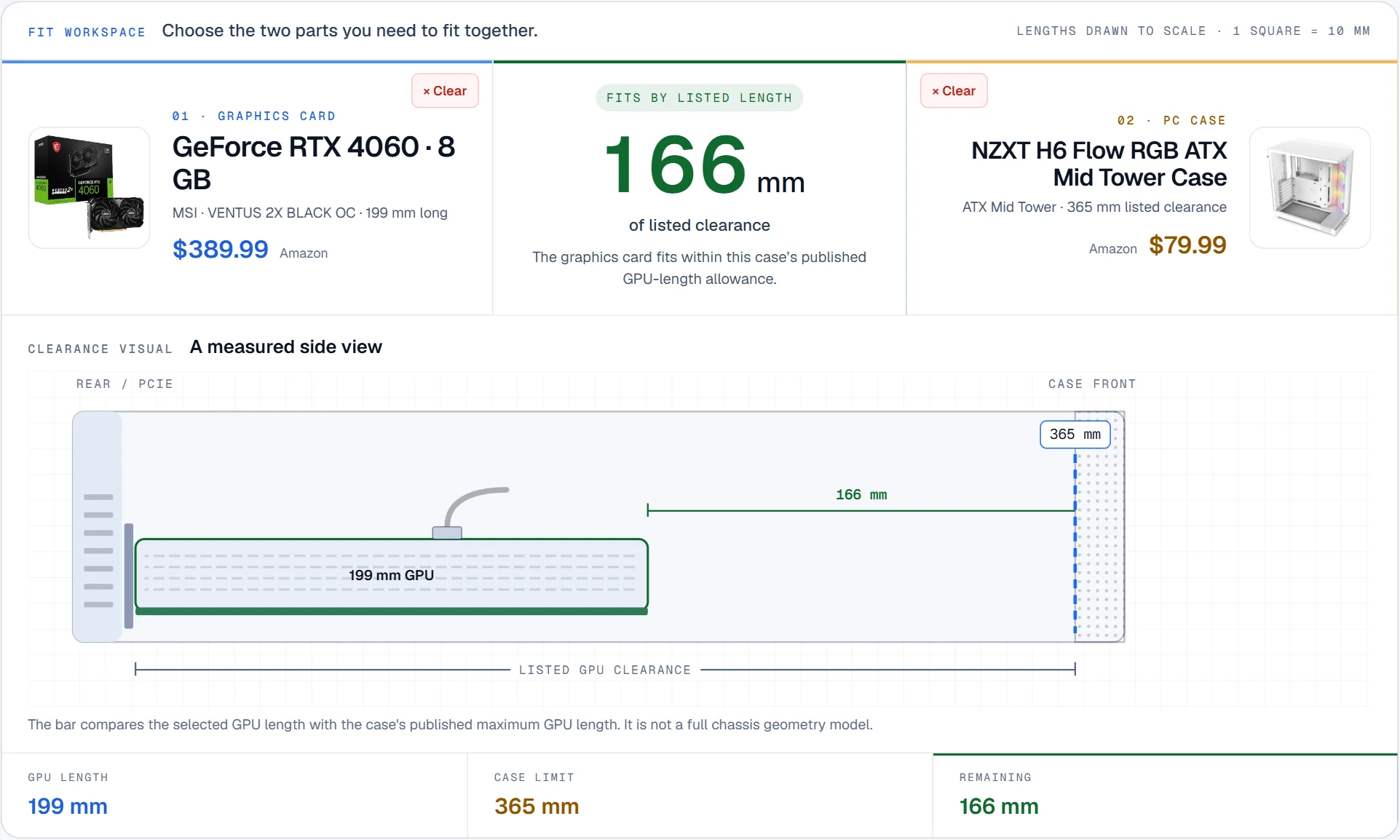
This 199 mm RTX 4060 has 166 mm of listed clearance in the NZXT H6 Flow RGB, which is rated for 365 mm. Check front-mounted hardware, card thickness, and cable space separately.

The fit workspace: a 199 mm GeForce RTX 4060 in an NZXT H6 Flow RGB with 365 mm of listed clearance, fits by listed length with 166 mm to spare, drawn to scale in a side viewThe fit workspace: a 199 mm GeForce RTX 4060 in an NZXT H6 Flow RGB with 365 mm of listed clearance, fits by listed length with 166 mm to spare, drawn to scale in a side view
pclaunchpad.com/tools/gpu-case-fit

The fit checker reads the graphics card and the case.

Check GPU clearance
§ 03 Comparing componentsCatalog spec examples

Compare PC parts side by side

Pick a matchup to see how the listed specs differ. The radar shows the pattern, and the bars show the size of each difference.

View Ryzen 5 9600X vs Ryzen 7 7800X3D
AMD Ryzen 5 9600XAMD Ryzen 7 7800X3D
CoresThreadsBase clockL3 cacheTDP
CoresHIGHER IS BETTER
68
ThreadsHIGHER IS BETTER
1216
Base clockHIGHER IS BETTER
3.9 GHz4.2 GHz
L3 cacheHIGHER IS BETTER
32 MB96 MB
The 7800X3D has three times the L3 cache. The 9600X is rated at 65 W against 120 W.Radar: each spec scaled to the leader, and for TDP, lower counts as better. Bars: the actual numbers.
§ 04 Things that aren't features, exactlyReplayed with real values

A handful of quiet things.

Small details you won't notice until you need them. Here they are, played out.

DETAIL 01

Live compatibility

Swap the Ryzen for a Core Ultra and the socket check flags it at once, with the values behind every check: socket, memory, clearances and power.

DETAIL 02

Save & resume

Your build stays in this browser between visits. Save it to an account, share a link, or ask for feedback.

DETAIL 03

A budget that keeps count

Set a target once. Each step suggests a spend, and the total shows exactly what is left.

DETAIL 04

A glossary, live

Hover a spec for a plain-English definition, right on the card you are looking at.

PC Launchpad Shop

Rather have it built?

Complete gaming PCs, assembled and tested by the team behind these tools. Pick parts and watch your exact PC update in 3D, checked with the same compatibility rules.

The free tools stay free, with or without the shop.

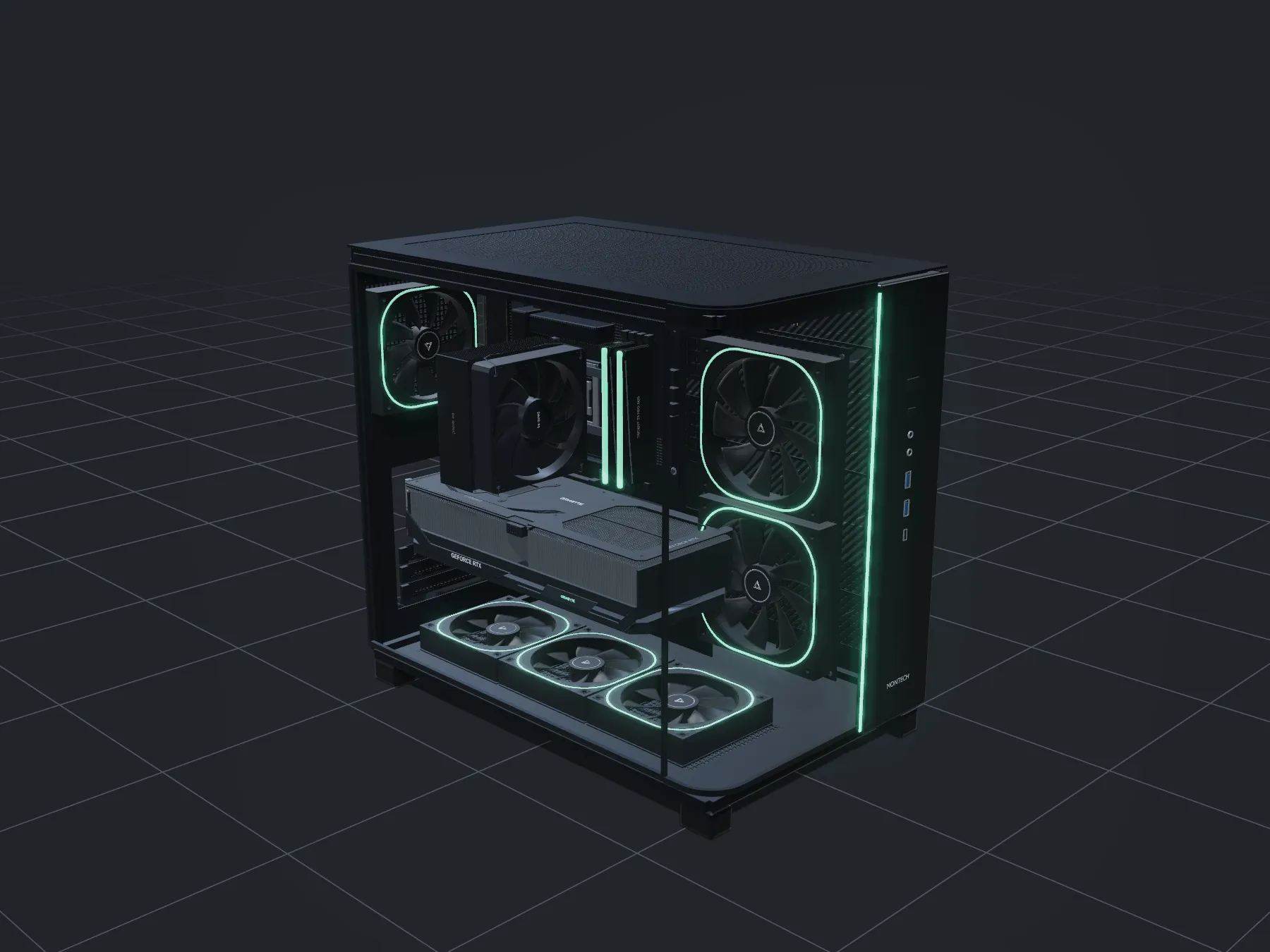
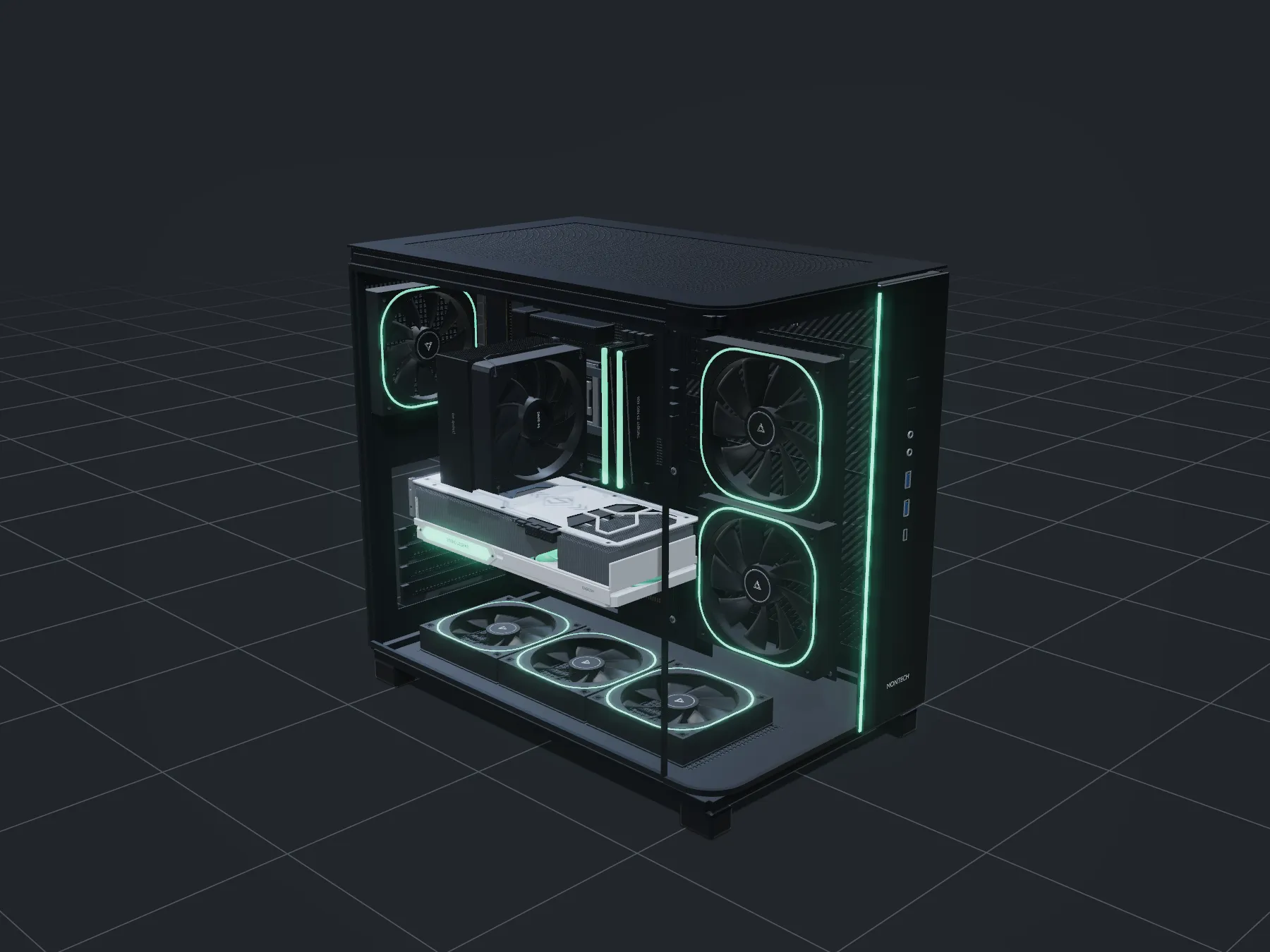
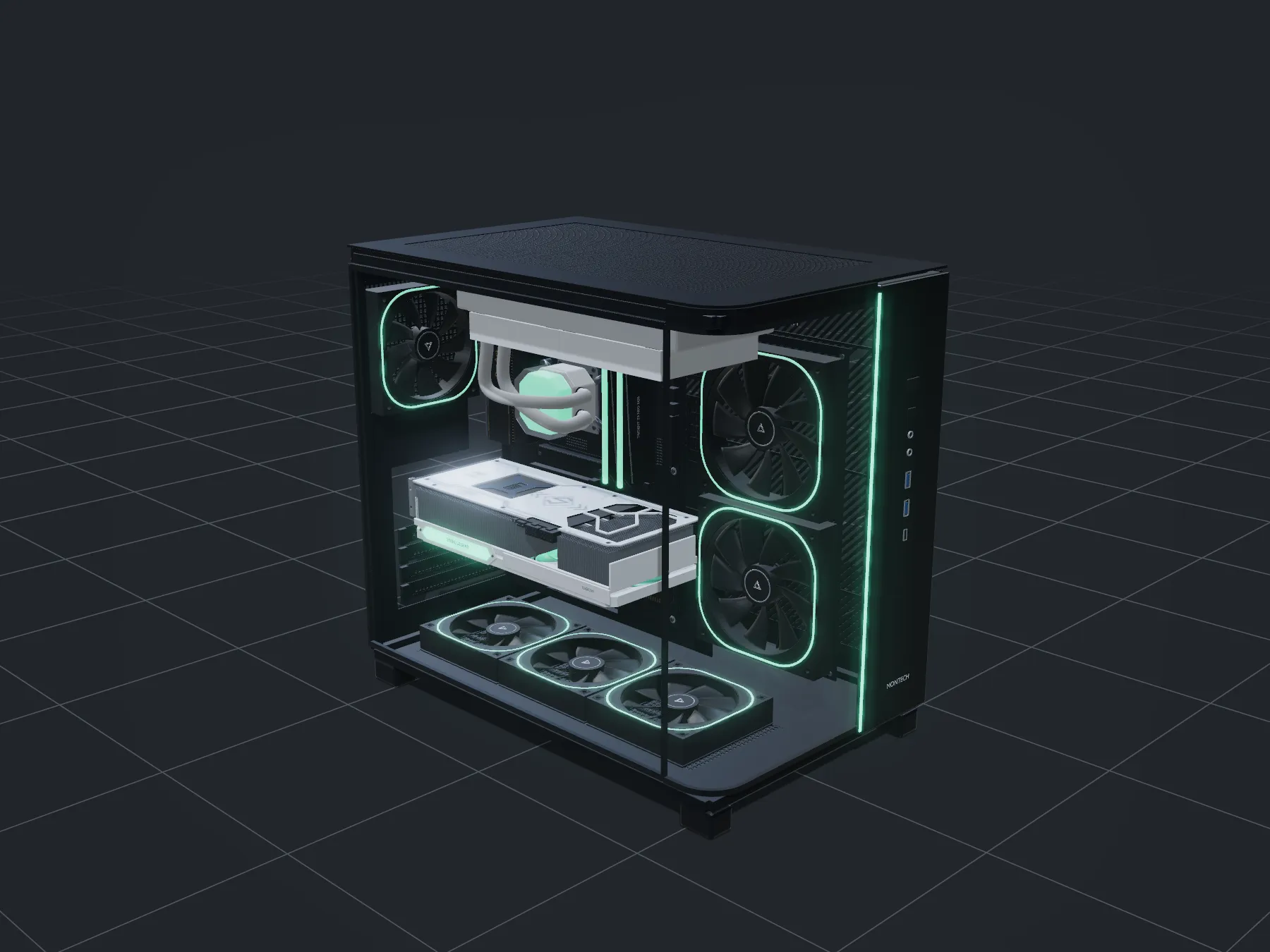
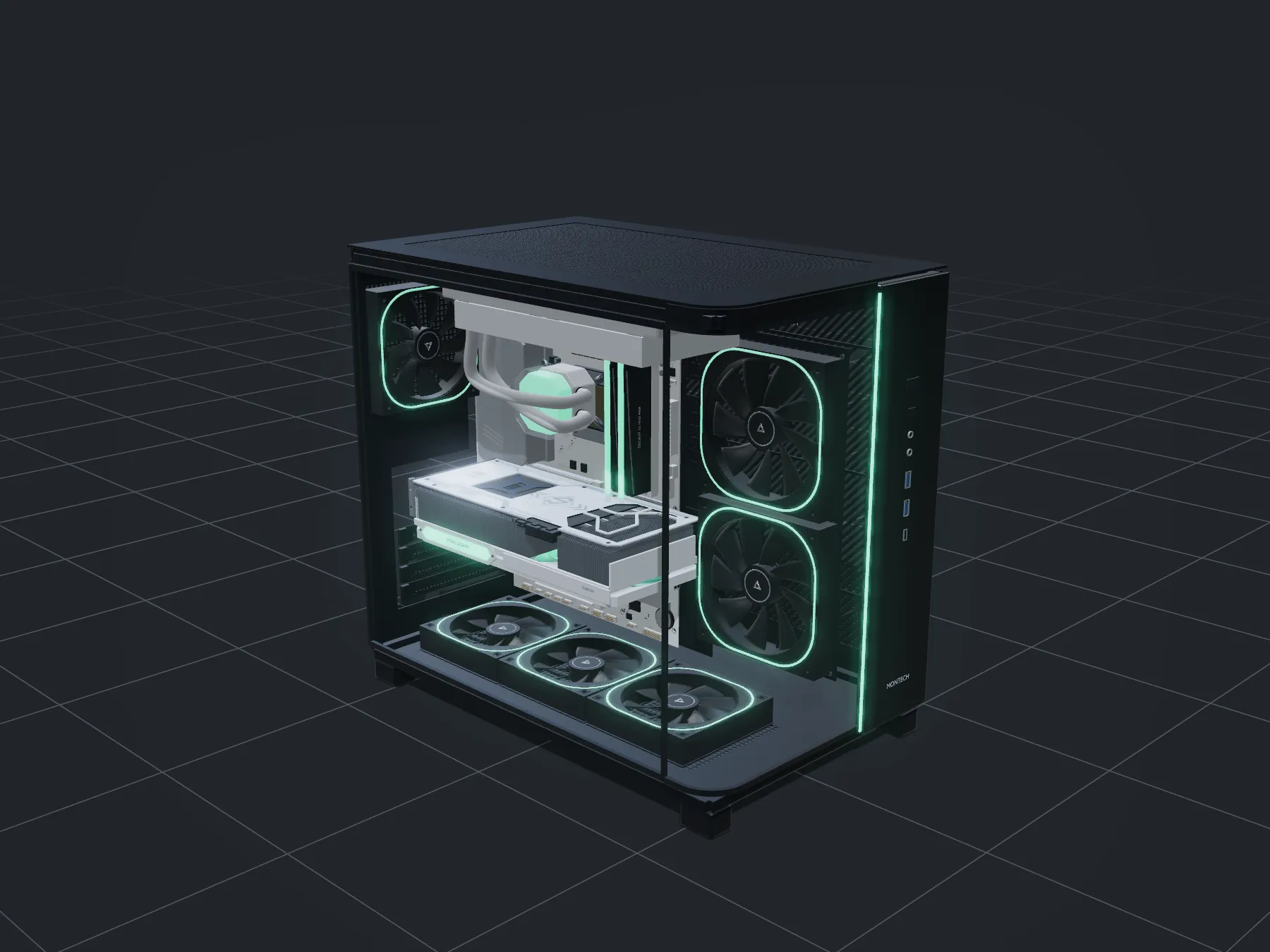
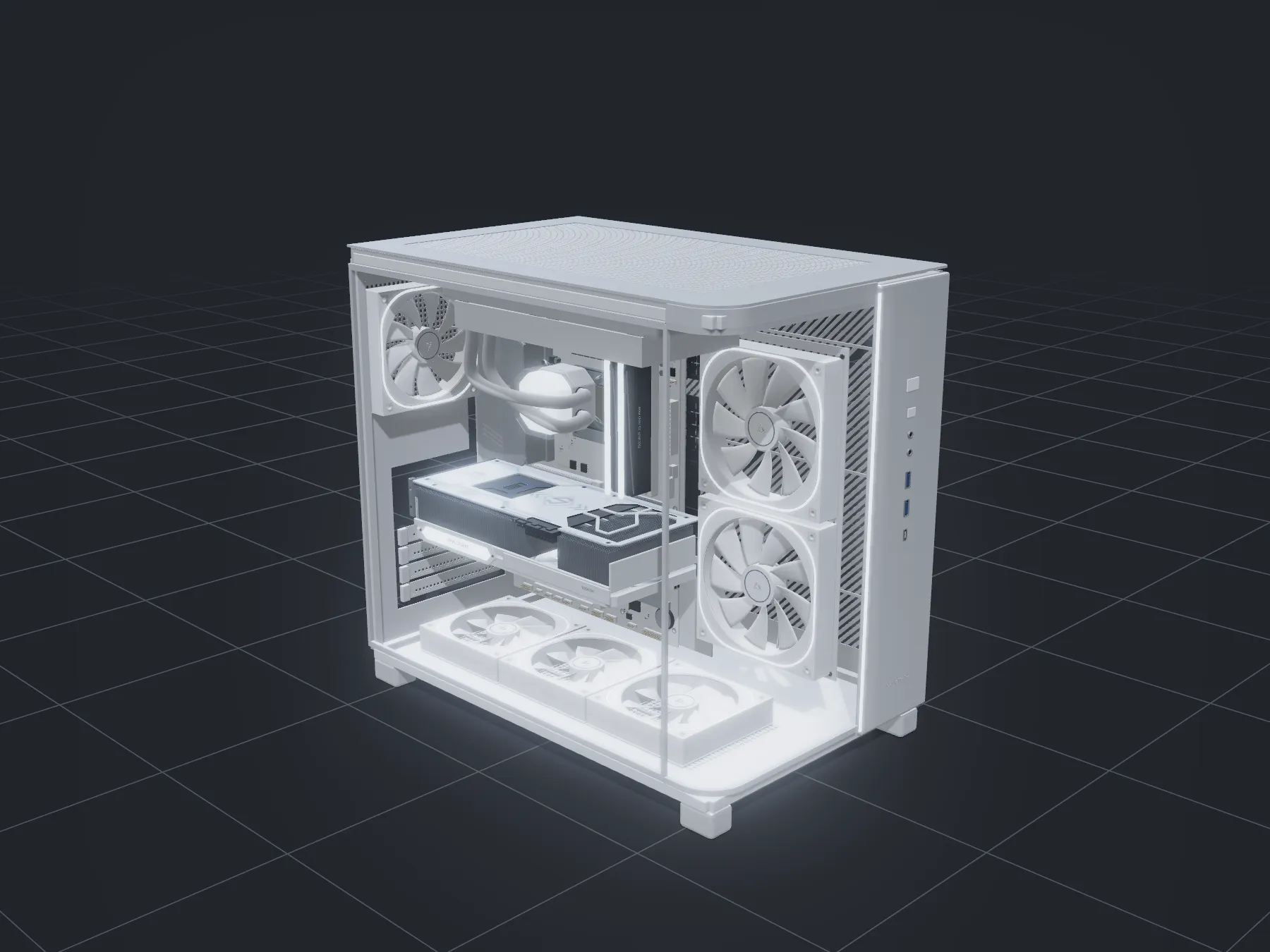
Launchpad Pro in the shop's 3D configurator, changing one part at a time: graphics card, cooling, motherboard, then the case from black to white
Launchpad Pro · in the configurator, a part at a time
  • Graphics cardGigabyte GeForce RTX 5080 Gaming OC 16GASRock Radeon RX 9070 XT Steel Legend 16GB
  • Coolingbe quiet! Pure Rock 3 BlackCooler Master Elite Liquid 240
  • MotherboardASUS ProArt X870E-Creator WiFiGigabyte B850 Aorus Elite WiFi7 ICE
  • CaseMontech KING 95 PRO · BlackMontech KING 95 PRO · White

Begin where you'd like.

Every tool is free, and none of them asks you to sign up first. Pick the one that matches where you are.

  1. 01Start the guided builderNine steps, every spec explained /builderFirst build
  2. 02Open the advanced builderEight slots on one page /builder/advancedKnow what you want
  3. 03Compare two partsRadar, bars and the full spec table /comparisonStuck between two
  4. 04Check an upgradeOne swap, traced through the build /tools/upgrade-checkerHave a PC already
  5. 05Plan airflow in 3DFans, coolers and eleven cases /tools/airflow-plannerChoosing a case

Common questions about planning a PC build

Is the PC builder free?

Yes. You can start a build and compare parts for free without an account. We may earn a commission if you buy parts through a retailer link.

Which builder should I use?

Use Guided Builder if you want help setting a budget and understanding each choice. Use Advanced Builder if you already know your parts or want to choose them in any order.

What compatibility checks are included?

The builders flag issues such as mismatched CPU sockets, incompatible memory types, and parts that exceed listed case clearances. Check manufacturer guidance for BIOS support and confirm the space you need for fans, radiators, and power cables.

How current are the prices?

We show recent prices when available from supported retailers. Prices in example builds are snapshots. Confirm the live price and stock with the retailer before you buy.